Daily White Ink Procedure
Technical Bulletin
Important
White ink settles much faster than any other color of ink and it should be treated differently.
WHITE INK is NOT the Same!
Proper procedures must be followed daily on TruFire printers with WHITE INK OPTION. White ink settles much faster than any other color of ink and it should be treated differently.
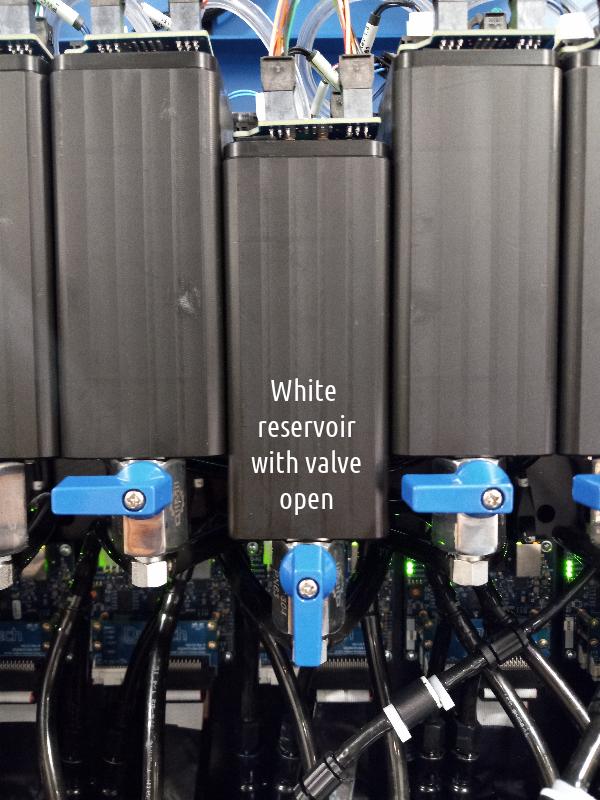
Make sure the manual valve is in the ON position allowing the white ink to flow from the upper reservoir to the lower reservoir. See below image.
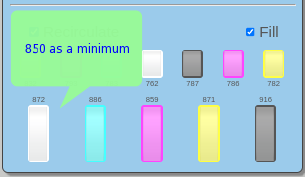
Make sure the bucket has enough white ink (850 level as a minimum) otherwise, the re-circulation will turn off. See below image.
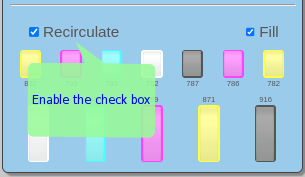
Run the RE-CIRCULATION on the white ink while starting up the printer in the morning. This needs to be done each workday. Run 10 to 15 minutes while wiping the print head(s) and cleaning the lamps and bottom of the head carriage. The white ink recirculates from the back main ink tank through the secondary ink tank through the print head and back to the back main ink tank.
When you enable the Recirculation System in the diagram above it is important to make sure the white reservoir icon/square flashes. If it does not flash this indicates a problem and you should call tech support.
Wiping the print head nozzle plate with flush then use the PRIME ALL feature and wipe the printheads.
Print the “All Solids” test from the user interface to get any cross contamination out of the print heads and to run the white print heads.